How to make more in the same time?
Players always want more happening on screen: more objects, more interactions, more visual richness. On high-end hardware that may be feasible, but on consoles and mobile devices the frame budget is much tighter. One of the practical answers is to split work across multiple threads.
Introduction to multithreading
To understand multithreading, it helps to think about what the CPU and GPU are actually doing. Modern CPUs have multiple cores and can execute different tasks at the same time. That makes it possible to update logic, render, stream data, or play audio without everything happening serially on a single lane.
Why using multithreading in games
Multithreading is useful when the computer is performing different categories of work. Making an enemy fire at the player is not the same task as drawing lights or loading resources. Splitting those concerns can keep the frame responsive.
The difficulty is synchronization. If one thread writes the bullet position while the render thread reads it at the same time, the result can be a harmless visual glitch or an immediate crash. Those are race conditions.
There are two broad approaches:
- lock data during reads and writes, which is safe but often expensive
- design the engine to avoid read-write conflicts as much as possible
Implementation
Objectives for the engine
The main objective was to avoid locked data and favor separated data ownership. That way, programmers only need to know when it is safe to access a category of data instead of constantly reasoning about contention.
Using 4 threads simultaneously
The implementation used four active threads to match the platform target:
- App thread for gameplay logic
- Render thread for building and sending rendering work
- Audio thread through FMOD’s own threading support
- Worker thread for asynchronous support tasks such as loading resources
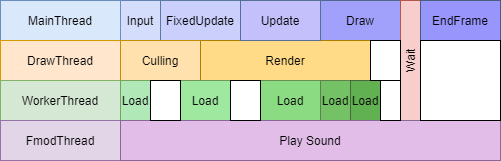
Being one frame behind
One tradeoff of this system is that rendering can happen one frame behind the logic state. In this project that was acceptable because the priority was not twitch precision but the number of objects and effects visible at the same time.
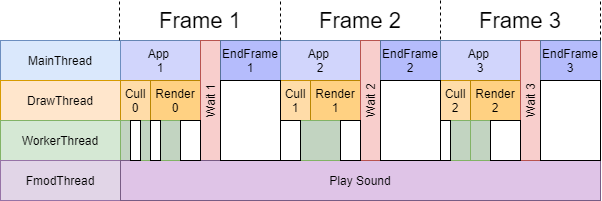
Create an execution loop
To know exactly when data is safe to access, the execution loop becomes a design priority.
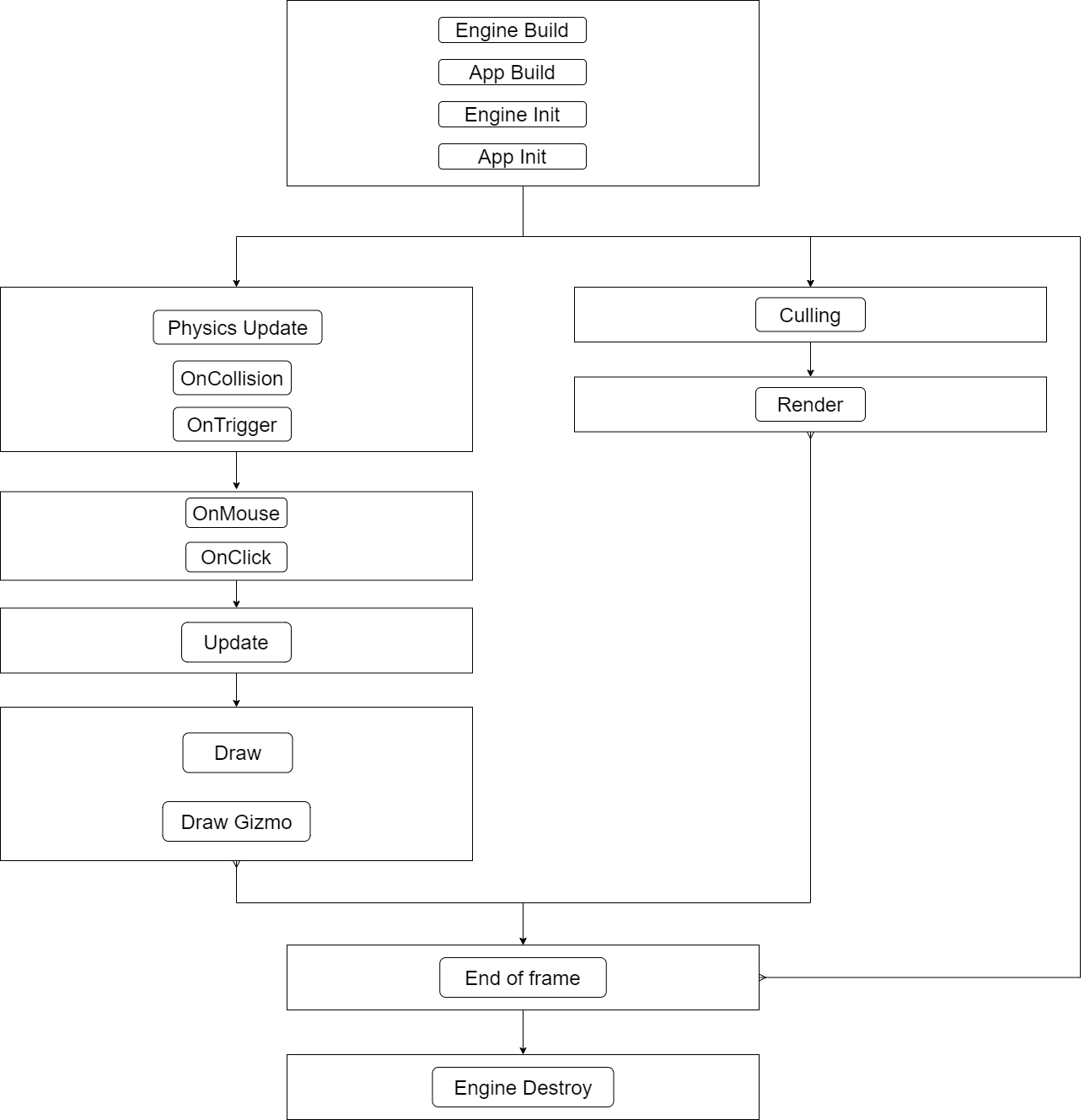
The logic side handled physics, input, game update, and draw-data preparation. The render side handled culling and rendering. The end-of-frame pass was the one place guaranteed to be free of concurrent access, which made it the right moment for scene reloads or other sensitive operations.
Copying data from one thread to another
Copying data across threads has two main costs:
- memory size if too much state is duplicated
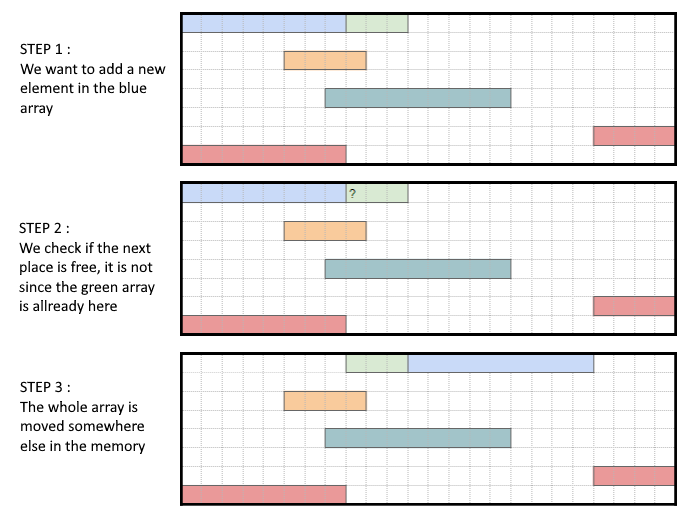
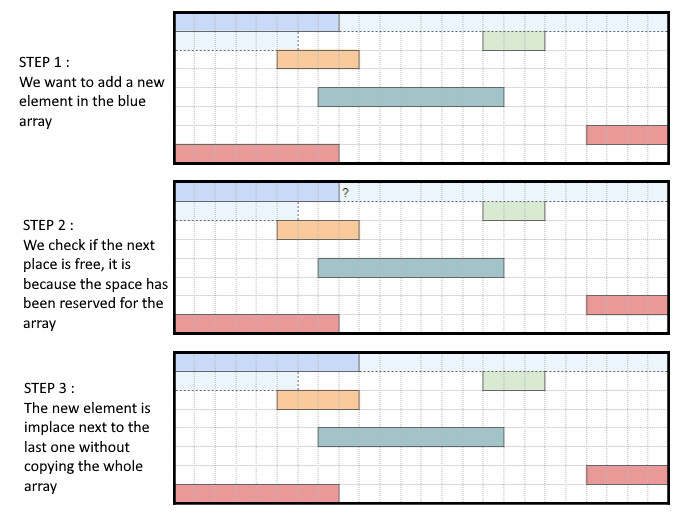
- memory allocation cost if arrays constantly grow during play
The practical answer was to copy only the rendering data actually needed by the GPU and reserve memory for bounded systems in advance.
After thoughts
This implementation was simple, maintainable, and a good fit for the needs of the project. Its main limitation is that a finished thread may end up waiting instead of immediately taking on more granular work. That is where more advanced systems such as job systems become interesting, but they also raise complexity considerably.

Good resources
- Ryan Fleury on entity memory contiguity
- Game Programming Patterns
- NVIDIA material on Vulkan multithreading